A plan that leaves room for your family.
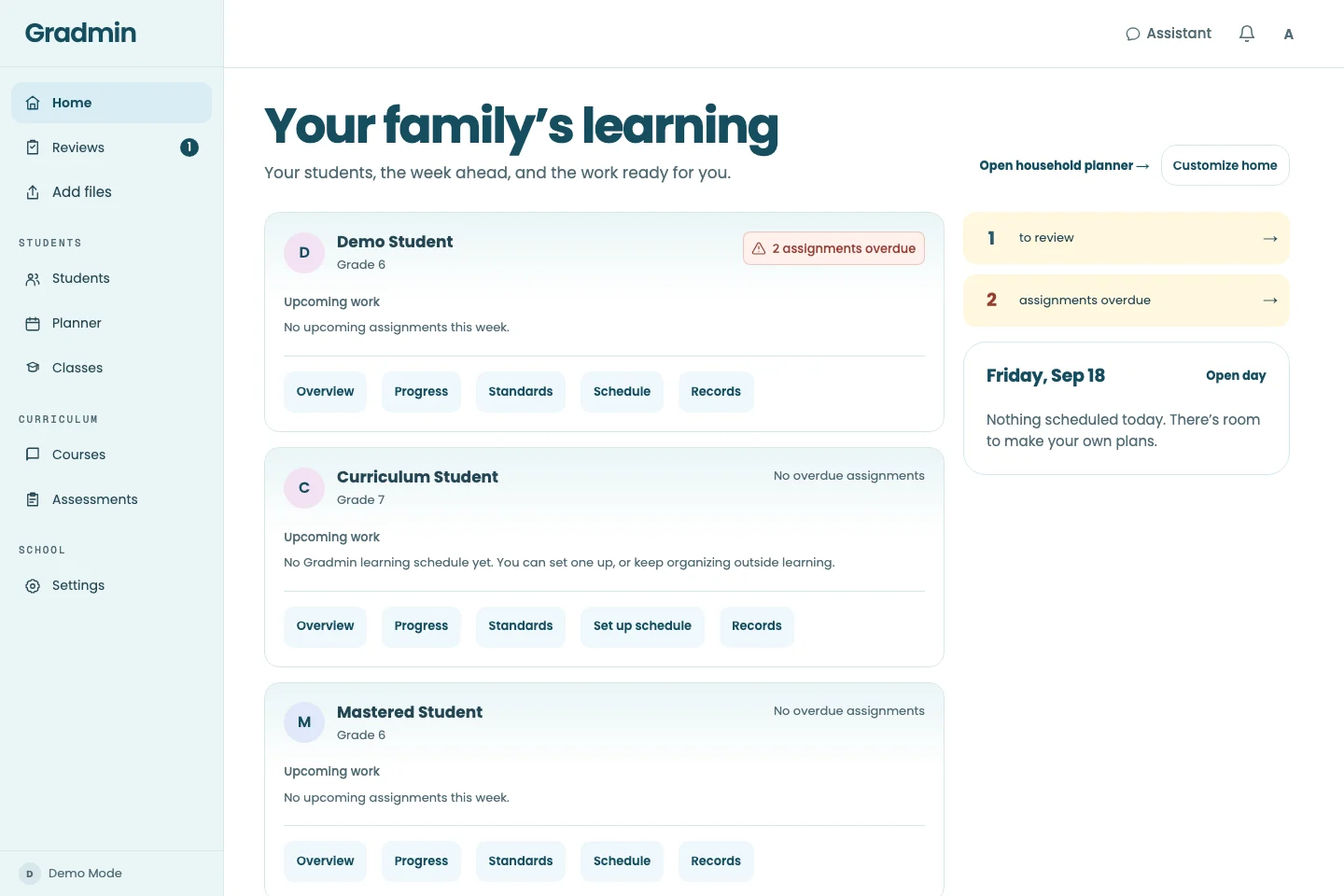
See what each child is working on, choose the week’s rhythm, and keep the work that needs your attention in view. Start with one unit or build a fuller plan.
K–12 learning for parents and educators
Curriculum, lessons, planning, review, and records in one connected place. Gradmin supports the daily work. You bring the judgment, care, and direction.
Free through December 31, 2026.
Future packaging and pricing have not yet been announced.
A full curriculum or one useful unit
On paper and on screen
Adult judgment at the center
Start with the learner in front of you—not a new stack of disconnected tools.
See what each child is working on, choose the week’s rhythm, and keep the work that needs your attention in view. Start with one unit or build a fuller plan.
Inspect the plan, review learner work, and choose the next useful step. Linked supervisors can manage learning; invited observers can view shared progress without changing it.
One assignment moves through four connected steps. The important decisions stay with you.
Inspect topics and intended standards coverage. Assign a course or unit, then fit it into your schedule.
Learners work through explanations, examples, and practice, with help available in the lesson.
See original work and proposed feedback. Review written submissions and outside-learning credit.
Follow progress and standards evidence as work is completed and approved—not from memory at year end.
The learner’s side of the day
Learners can see their work, open a lesson, and ask for help when an idea is unclear. Practice and spaced review bring ideas back so you can see where more support may help.
With supervisor permission, “Help with a question” also supports text or photo questions in a separate session. That help does not award grades, mastery, or standards credit.
Explore learning and tutoring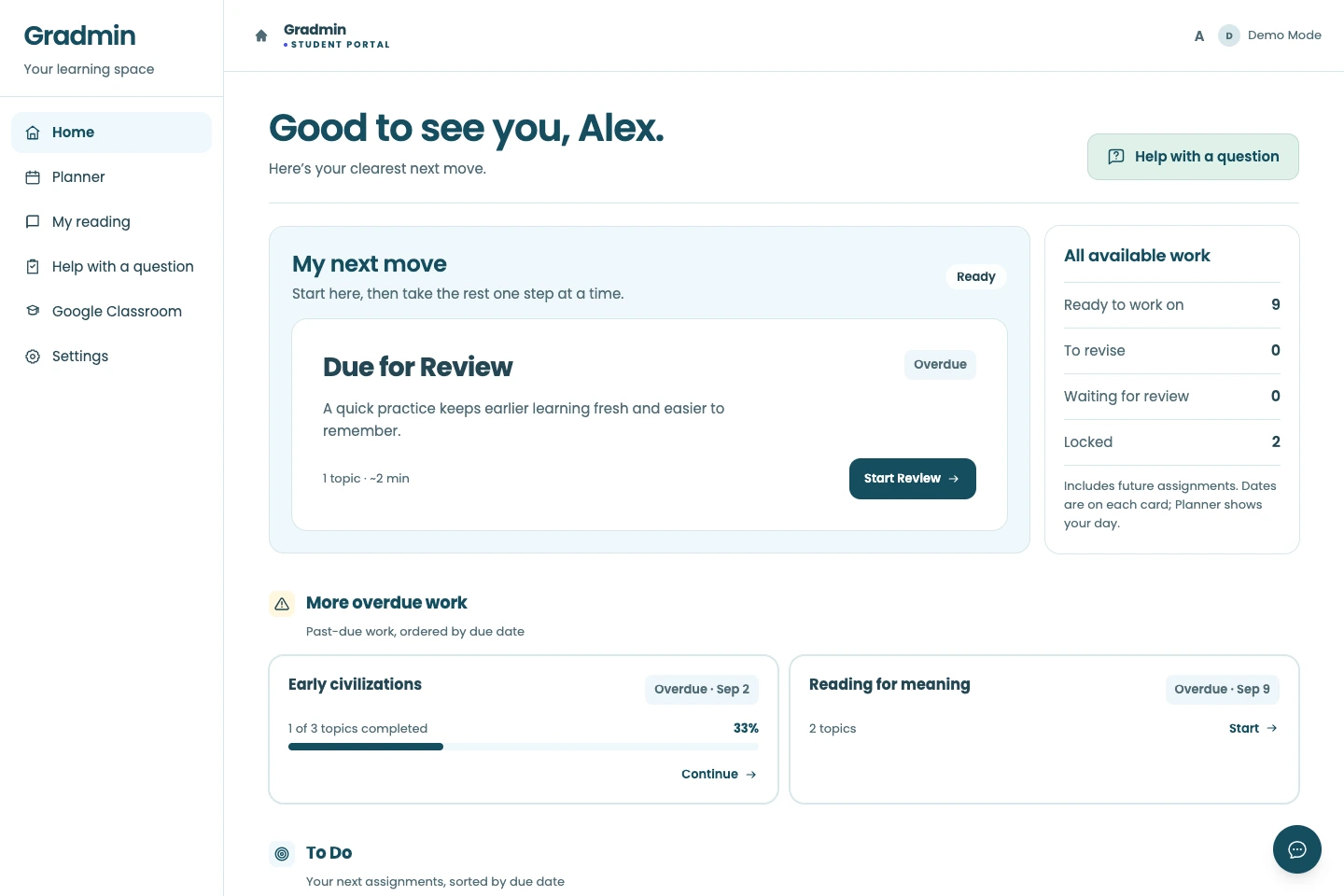
Learning does not all happen on a screen. And an AI proposal is not the same thing as your decision.
Print a study guide or test, work by hand, then upload photos. Bring in co-op worksheets, field notes, and projects too. Review original pages alongside proposed feedback or standards credit.
See how outside work fits Uploading work and using AI help require an internet connection.Gradmin uses source research and verification checks, but generated material can still be wrong. Inspect curriculum, review consequential judgments, and decide when a learner needs a different approach.
Understand AI and adult oversight Student work is not sold or shared with advertisers. Read the privacy policy.You choose the work and schedule, review written submissions, and step in when a learner needs you. Gradmin brings preparation, routine scoring, and progress together; your time will depend on the learner and how you use it.
No. It is a curriculum and learning platform, not an accredited school or diploma provider. Families and educators remain responsible for local requirements and final educational decisions.
Early access is free through December 31, 2026. Future packaging and pricing have not yet been announced. Read the current offer before signing up.
Start small. See how the pieces fit.
Bring your questions, your teaching style, and the learning that already matters to you.
Free through December 31, 2026. Future packaging and pricing have not yet been announced.